 Workout DeckPremium
The workout planner app that has today ready.
Workout Deck lays out your weekly workout plan, built by you or by its personal trainer. Open it and today’s workouts are waiting, each set gets ticked as you train, and every exercise plays as a 3D figure. It comes with Premium, a paid plan; the app itself is a free download.
- Comes with Premium
- iPhone, iPad, Android and Mac
- People you invite join free
Download the app free, then unlock Workout Deck with Premium, a paid plan.
Workout DeckShared with 12 of 9 doneWednesday 14 · 265 min in total







Set the week up once and it repeats.
Choose the days and how often: every week, every second week, every fourth, or a single session. As a workout schedule app it runs quietly in the background, and the week strip marks each workout with a dot that fills in once you finish it.
On holiday or resting a sore knee? Take days out for a while or shift a single workout to another day, and the rest of your weeks carry on unchanged.
Pick its days
8 workouts in the next four weeks
Your week, planned by a personal trainer.
A short round of questions, and the personal trainer calculates a weekly workout plan from what you said: sessions on the days you have, sized to the minutes you have, with sets, reps and a tip on every exercise. Look it over, trade any exercise for another and put it in your week.
- About you
- Your goals
- Your days
- Your minutes
- Your equipment
- Your experience
Goals holds your weekly target with its streak, what you are aiming for, your weight with a chart and a rough food guide with daily calories and protein. Plan shows the plan in action and your training days.
Workout DeckShared with 13 of 4 donePlan now
Every weekEvery week since 10/12/2026
Schedule
Training days
Time for each workout
Kinds of training
Where you train


 Workout DeckShared with 12 of 9 done
Tick each set the moment you finish it.
Open a workout and every exercise shows its sets, one row each with reps and kilograms, ticked as you go. The numbers from last time are already filled in, a new personal record lands on the progress chart, and a hint tells you when it is time for a heavier weight. A workout tracker app that remembers every set.
- Reps and kilograms on every row
- Last session’s numbers, already filled in
- Personal records on a progress chart
- A nudge when to go heavier
Start workout: a single exercise on the screen.
Start workout fills the screen with one exercise and its moving figure. Tick a set and the rest timer runs on its own; tick the last one and the next exercise appears. When you are done, a summary lists your sets, minutes, total kilograms and every record you set.
Workout DeckShared with 12 of 9 doneSee every exercise move in 3D.
Each of the 417 exercises plays as an animated 3D figure: strength work with barbell, bench, cable or machine, cardio, warm-ups, stretches, yoga, jumps and swimming. Working muscles light up in red, you can spin the figure all the way round, and held poses breathe.
Drag to turn it around, 360°
Pick an exercise
Muscles: Chest, front shoulders, triceps
- 1Lie on a flat bench with your eyes under the bar and your feet flat on the floor.
- 2Grip the bar slightly wider than your shoulders and lift it off the rack.
- 3Lower the bar slowly to your mid chest, elbows about 45 degrees from your body.
- 4Press the bar back up until your arms are straight over your shoulders.
Tip: Keep your shoulder blades squeezed together and down, and touch your chest lightly.
Breathing: Breathe in as you lower the bar, breathe out as you press up.
Instructions give the steps, a tip and the breathing for every exercise, and Slow and Pause let you look at each part of a move.
Workout DeckShared with 12 of 9 done
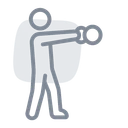
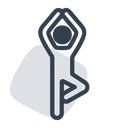
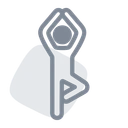
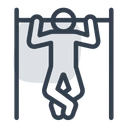
The whole exercise list, one tap from your plan.
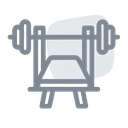
The Exercises view is an exercise planner app in its own right: browse all 417 exercises, search by name, filter by body part and equipment, and open any one for its animation and how-to. Add it to a fresh workout on any day, or to several workouts in one go.
The gear you own, and what it is for.
The Equipment view covers every piece the exercises call for, from dumbbells and a bench to the cable machine and the treadmill. Tick what you have at home or at the gym, and Workout Deck counts how many exercises it opens up. Each piece opens with a 3D picture, a line on what it does and every exercise that uses it.
- 75 pieces sorted into five groups
- A 3D picture and a short line for each
- All of a piece’s exercises, one tap away
- Weekly plans built from your own gear
Workout DeckShared with 12 of 9 doneTick what you have - at home or in your gym. A plan can then use only these.
Free weights
1 / 6A pair of short hand weights - for presses, rows, curls and almost every body part.
Benches, racks and bars
0 / 9Each exercise keeps the numbers that fit it.
Lifting needs sets, reps and weight; a run needs minutes and kilometres; a plank needs seconds. Each exercise has a kind with its own numbers, so a single workout routine planner covers the barbell, the pool and the yoga mat, and works as a gym workout planner on lifting days.
- StrengthBack squat4 × 6 · 80 kg
- CardioEasy run30 min · 5 km
- HoldPlank3 × 45 s
- RoundsBag work5 rounds × 3 min
- SwimFreestyle1,000 m · 35 min
- SkillHandstand practice15 min
Exercise names are suggested as you type, and any exercise can hold pictures and video links: a home workout planner that shows how a move looks right where you plan it.
One day, one week, one month, plus Stats.
The Calendar shows a day with its total minutes, the week with its days side by side, or the month with a dot per workout. Stats count workouts, minutes and active days, split by focus, along with the muscles you trained, your weight over time and the exercises you do most.
Workout DeckShared with 12 of 9 doneOne shared workout plan, each person ticking their own.
Invite a partner, a friend or your family into the room and everyone trains from the same plan. Give each workout to the people doing it; a tick marks it done for that person, and the room keeps score for every one of you.
- Each person ticks off their own workouts
- Workouts assigned to whoever does them
- Every change appears for everyone at once
Workout Deck comes with Premium.
The app is a free download, and Workout Deck opens with Premium, the paid plan, or with the Family plan. Everyone you invite to your room trains along free on any plan, so the whole group shares one fitness planner app.
- 417exercises, each a moving 3D figure
- Premiumunlocks it; invited people join free
- Weeklyplans, your own or the trainer’s
- Every setkept with reps, kilograms and records
- Germanyis where your data is kept
- 77 languageson iPhone, iPad, Android and Mac
Your questions, answered.
Is Workout Deck free?
Workout Deck comes with Premium, a paid plan, and with the Family plan. Downloading the app is free; you unlock Workout Deck with Premium. The people you invite to your room join free and train with you on any plan.
Can it make a weekly workout plan for me?
Yes. The personal trainer asks about you, your goals, your training days, your minutes, your equipment and your experience, then calculates a weekly plan. Look it over, swap exercises and add it to your week; each workout stays yours to edit.
Does it work as a gym workout planner and a home workout planner?
Yes. Make a workout for each kind of day, such as Leg day or Stretch and mobility, choose its days and add any exercise: weights at the gym, or bodyweight holds and rounds at home.
Is it a workout tracker app as well?
Yes. Each set keeps its reps and kilograms when you tick it, last session’s numbers are filled in, and every exercise has its records and a progress chart with a hint for the next weight. Stats add up workouts, minutes and the muscles you trained.
Kilograms or pounds?
You choose when you create a workout room: kilograms, centimetres and kilometres, or pounds, feet and miles. Every weight, distance, your body weight and your height then use those units.
How do the 3D exercises work?
Every exercise in the list has its own animated figure with its weights, bench, cable or machine, and the working muscles in red. Drag to turn it, slow it down or pause it, and open Instructions for the steps, a tip and the breathing.
Is there a rest timer?
Yes. In Start workout, ticking a set starts the rest timer by itself, and each exercise has a timer for rests, holds and rounds.
Can my partner and I keep a shared workout plan?
Yes. Share the room and you both train from the same plan, each ticking your own workouts and sets. Your partner joins free on any plan.
Does it run offline?
Yes. Your plan opens at the gym without signal, and your ticks sync once you are online again.
Which devices can I use?
iPhone, iPad, Android and Mac, with the same plan on each. As an exercise planner app, a fitness planner app and a workout schedule app, it keeps the routine in one place: a workout routine planner for the whole week.
Workout Deck with Premium
Your training week, ready to go.
Download the app free on iPhone, iPad, Android and Mac, then unlock Workout Deck with Premium.